
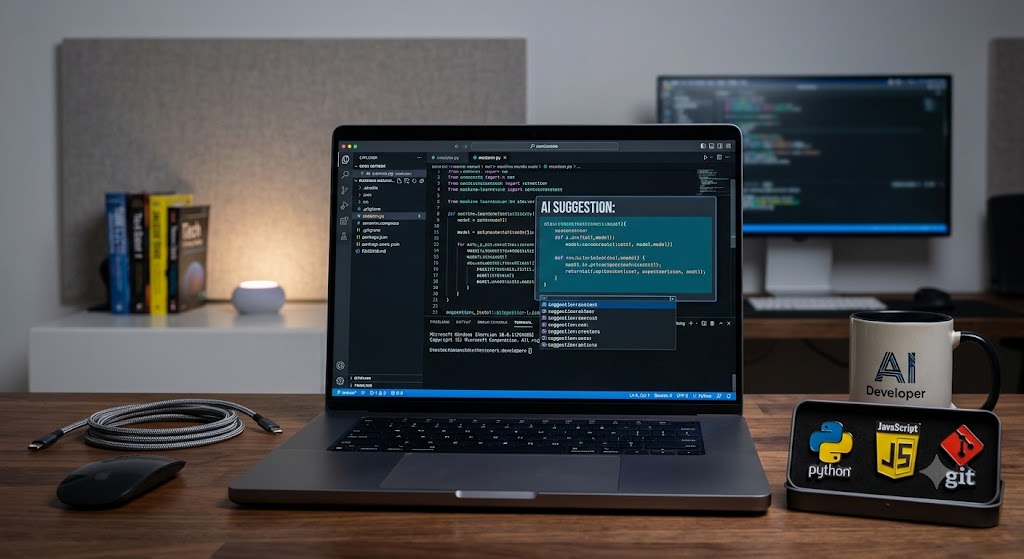
Which AI to Use for Coding? A Complete Guide to the Best AI Coding Assistants in 2026
Introduction
If you’re wondering which AI to use for coding, the best choice depends on your experience, programming language, and workflow. AI coding assistants can help generate code, explain complex functions, detect bugs, write tests, and improve productivity. Popular options like GitHub Copilot, ChatGPT, Claude, Gemini, Cursor, and Codeium each excel in different areas. This guide compares the leading AI coding tools so you can choose the one that best fits your development needs.
Which AI to Use for Coding: Top AI Tools Compared
AI has transformed software development by making coding faster, more efficient, and more accessible. Whether you’re building websites, mobile apps, APIs, or machine learning projects, the right AI assistant can save hours of work.
Here’s a quick comparison of today’s leading AI coding assistants:
| AI Tool | Best For | Strengths |
|---|---|---|
| ChatGPT | General programming | Code generation, debugging, explanations |
| GitHub Copilot | Daily coding | Real-time code completion in IDEs |
| Claude | Large codebases | Long-context analysis and refactoring |
| Gemini | Google ecosystem | Multi-language support and documentation |
| Cursor | AI-powered development | Full-project understanding and editing |
| Codeium | Budget-conscious developers | Free code completion and assistance |
Each tool has unique advantages depending on your workflow.
ChatGPT: Best for Learning and Problem Solving
ChatGPT is one of the most versatile AI coding assistants available.
It can help developers:
- Generate code from natural language
- Debug programming errors
- Explain algorithms
- Convert code between languages
- Write documentation
- Create SQL queries
- Optimize existing code
Because it understands conversational prompts, it’s especially useful for beginners and experienced developers who need detailed explanations.
ChatGPT supports many programming languages, including:
- Python
- JavaScript
- TypeScript
- Java
- C++
- C#
- PHP
- Go
- Rust
- Swift
Its ability to explain why code works makes it an excellent educational tool.
if you want to know, Optical Network Terminal Box, click here.
GitHub Copilot: Best for Everyday Development
GitHub Copilot integrates directly into popular code editors like Visual Studio Code.
Instead of switching between your browser and editor, Copilot provides suggestions as you type.
Benefits include:
- Real-time code completion
- Function generation
- Boilerplate creation
- Unit test suggestions
- Faster repetitive coding
Developers working on production software often appreciate its seamless workflow and IDE integration.
However, it’s most effective when paired with your own programming knowledge rather than used as a replacement for understanding code.
Claude: Best for Large Projects
Claude has become a favorite among developers working with extensive codebases.
Its long context window allows it to analyze multiple files simultaneously, making it useful for:
- Refactoring projects
- Reviewing architecture
- Finding logic issues
- Explaining legacy code
- Improving documentation
Instead of focusing only on individual functions, Claude can understand how different components work together across an application.
This makes it particularly valuable for enterprise software and collaborative development.
Gemini: Ideal for Google Developers
Gemini works well for developers already using Google’s ecosystem.
It offers strong support for:
- Android development
- Google Cloud projects
- Firebase
- Documentation assistance
- Multiple programming languages
Gemini also performs well when combining text, images, and code within a single workflow, making it useful for technical problem-solving.
Cursor: AI-First Code Editor
Cursor is more than an AI chatbot—it’s an AI-powered code editor.
Unlike traditional coding assistants, Cursor can:
- Search your entire project
- Edit multiple files
- Refactor code
- Generate new components
- Answer questions about your codebase
Developers building medium to large applications often appreciate how deeply Cursor understands project structure.
This reduces the time spent navigating files manually.
Codeium: Great Free Alternative
Not every developer wants to pay for AI assistance.
Codeium provides generous free features, including:
- Code completion
- Chat assistance
- Multi-language support
- IDE integrations
- AI suggestions
Although premium tools may offer more advanced capabilities, Codeium delivers excellent value for students, hobbyists, and freelance developers.
How to Choose the Right AI Coding Assistant
The best AI depends on how you write software.
Consider these factors before choosing:
Programming Language
Most major AI tools support popular languages, but some perform better with specific ecosystems.
Verify compatibility if you work with niche programming languages.
IDE Integration
If you spend most of your day inside Visual Studio Code, JetBrains IDEs, or another editor, seamless integration can significantly improve productivity.
Project Size
Simple scripts require different tools than enterprise applications.
Large codebases benefit from AI models capable of understanding extensive context.
Learning vs. Productivity
Some developers prioritize learning concepts, while others want maximum coding speed.
For example:
- Beginners often benefit from conversational explanations.
- Professional developers may prioritize autocomplete and rapid code generation.
Benefits of Using AI for Coding
Modern AI assistants provide numerous advantages.
These include:
- Faster software development
- Reduced repetitive coding
- Better documentation
- Improved debugging
- Easier code reviews
- Faster onboarding to new languages
- Increased productivity
- Assistance with testing
Rather than replacing developers, AI enhances their ability to focus on problem-solving and software design.
Limitations to Keep in Mind
Although AI coding assistants are powerful, they’re not perfect.
Developers should always:
- Review generated code
- Test functionality
- Validate security
- Check performance
- Confirm business logic
- Follow coding standards
AI can occasionally produce outdated APIs, inefficient algorithms, or subtle bugs.
Human oversight remains essential for production-quality software.
Frequently Asked Questions
1. Which AI is best for coding beginners?
ChatGPT is an excellent choice for beginners because it not only generates code but also explains programming concepts, debugging techniques, and best practices in an easy-to-understand conversational format.
2. Is GitHub Copilot better than ChatGPT?
They serve different purposes. GitHub Copilot excels at real-time code completion inside an IDE, while ChatGPT is better for explanations, debugging, architecture discussions, and solving complex programming problems.
3. Can AI write an entire application?
AI can generate significant portions of an application, including frontend, backend, APIs, and tests. However, developers still need to review, integrate, secure, and maintain the code to ensure reliability and correctness.
4. Which AI coding assistant is free?
Codeium offers one of the strongest free plans. ChatGPT and Gemini also provide free versions with useful coding capabilities, although premium subscriptions typically include more advanced features and higher usage limits.
5. Should professional developers use AI coding tools?
Yes. Many professional developers use AI to automate repetitive tasks, generate boilerplate code, review logic, write tests, and improve productivity. AI works best as a development assistant rather than a replacement for programming expertise.
Conclusion
Choosing which AI to use for coding ultimately depends on your goals and workflow. If you want detailed explanations and flexible programming support, ChatGPT is an outstanding option. GitHub Copilot is ideal for developers seeking seamless in-editor assistance, while Claude shines when working with large codebases. Gemini integrates well with Google’s ecosystem, Cursor offers an AI-first coding experience, and Codeium provides excellent value as a free alternative. Explore a few of these tools, compare their strengths, and select the one that helps you write cleaner, faster, and more reliable code.





2 Comments